When NFC Tag Is Not Recognized
Step 1 Install NFC Tools
Please install the NFC Tools app to check for NFC tag damage.
Step 2-1 Try Android NFC Tag
The actual screen may vary depending on the smartphone OS and model. This is a method to check NFC chip damage, so actual NFC content will not execute.
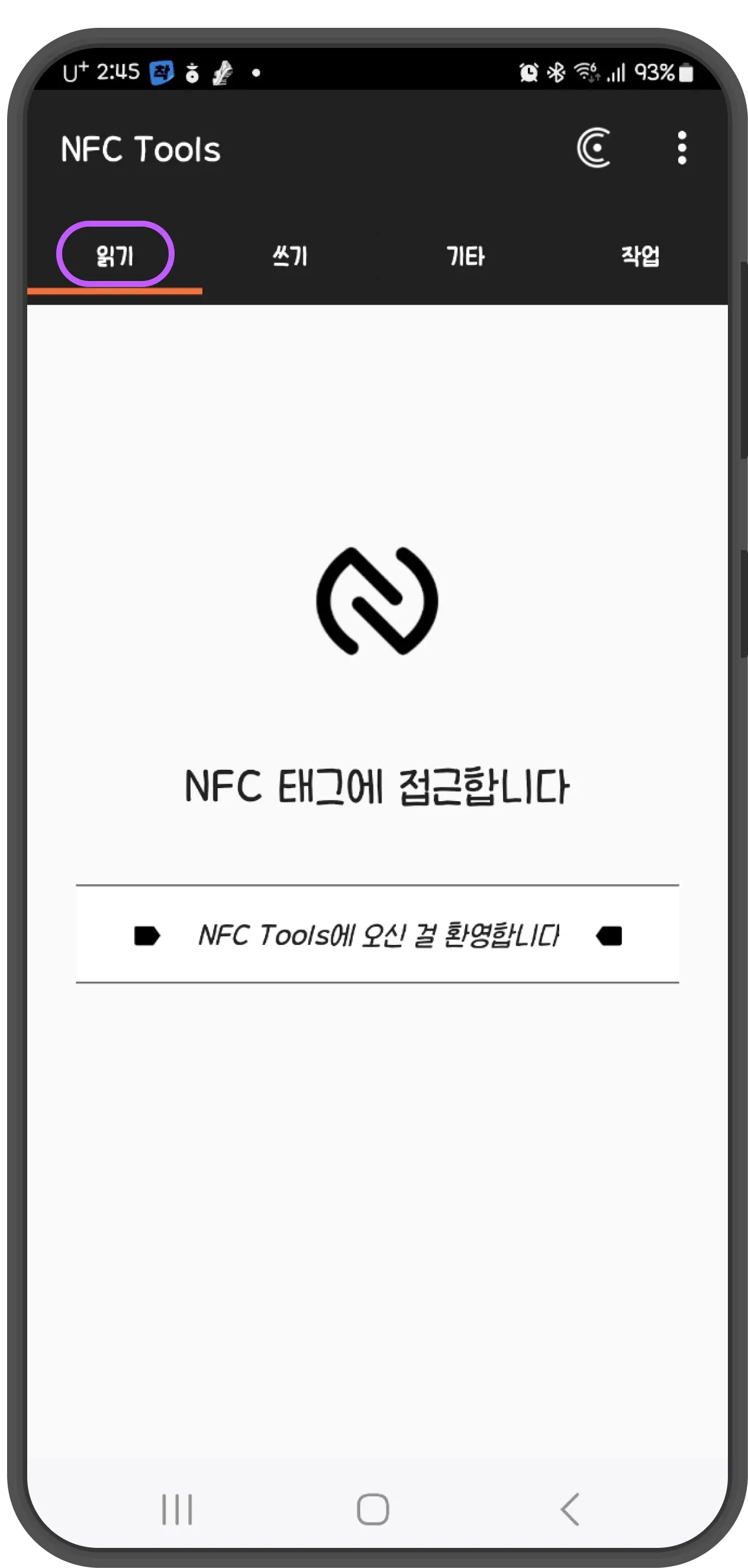
1. Launch NFC Tools and click Read button
2. Scan NFC tag with smartphone
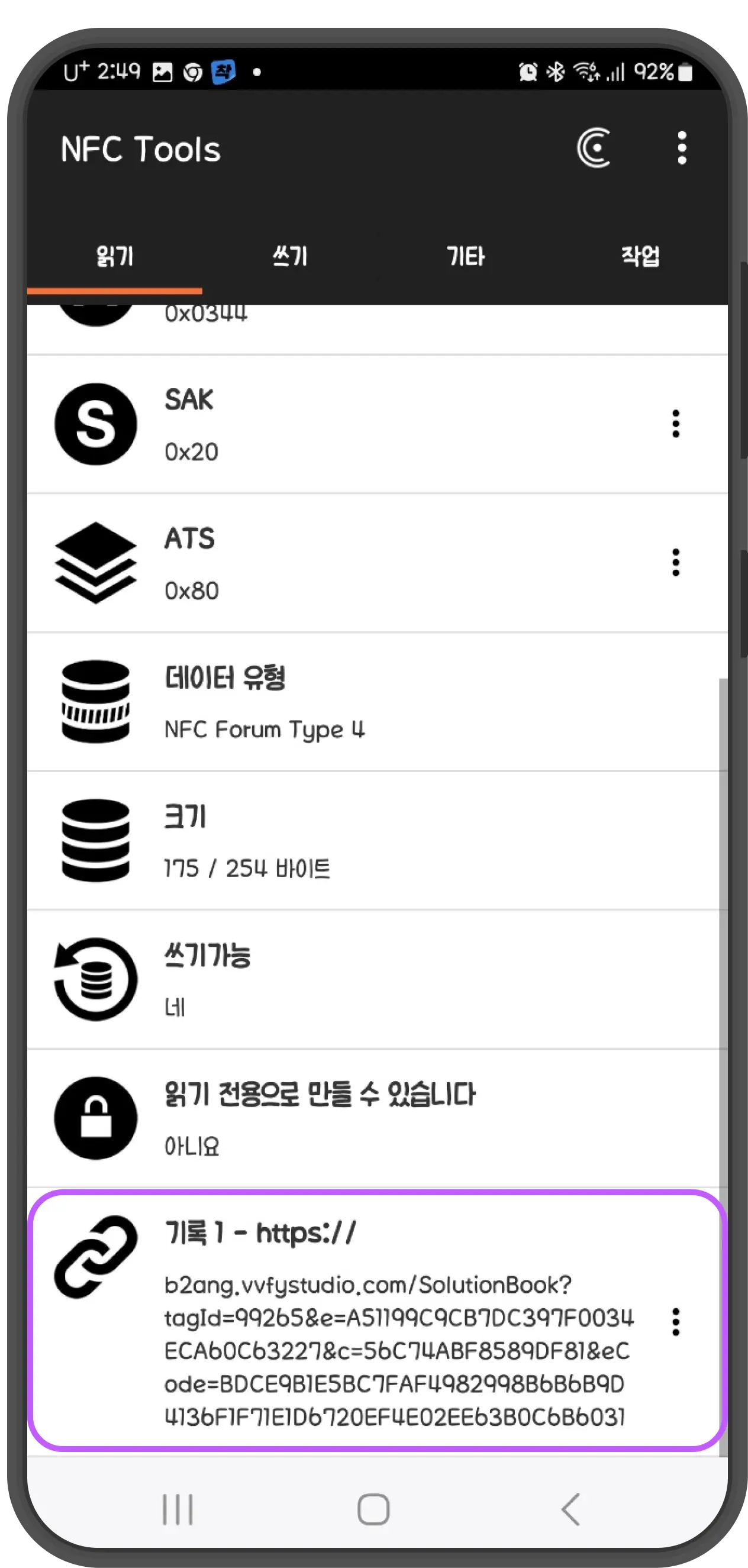
3-1. If NFC tag is normal, data will be shown in record 1
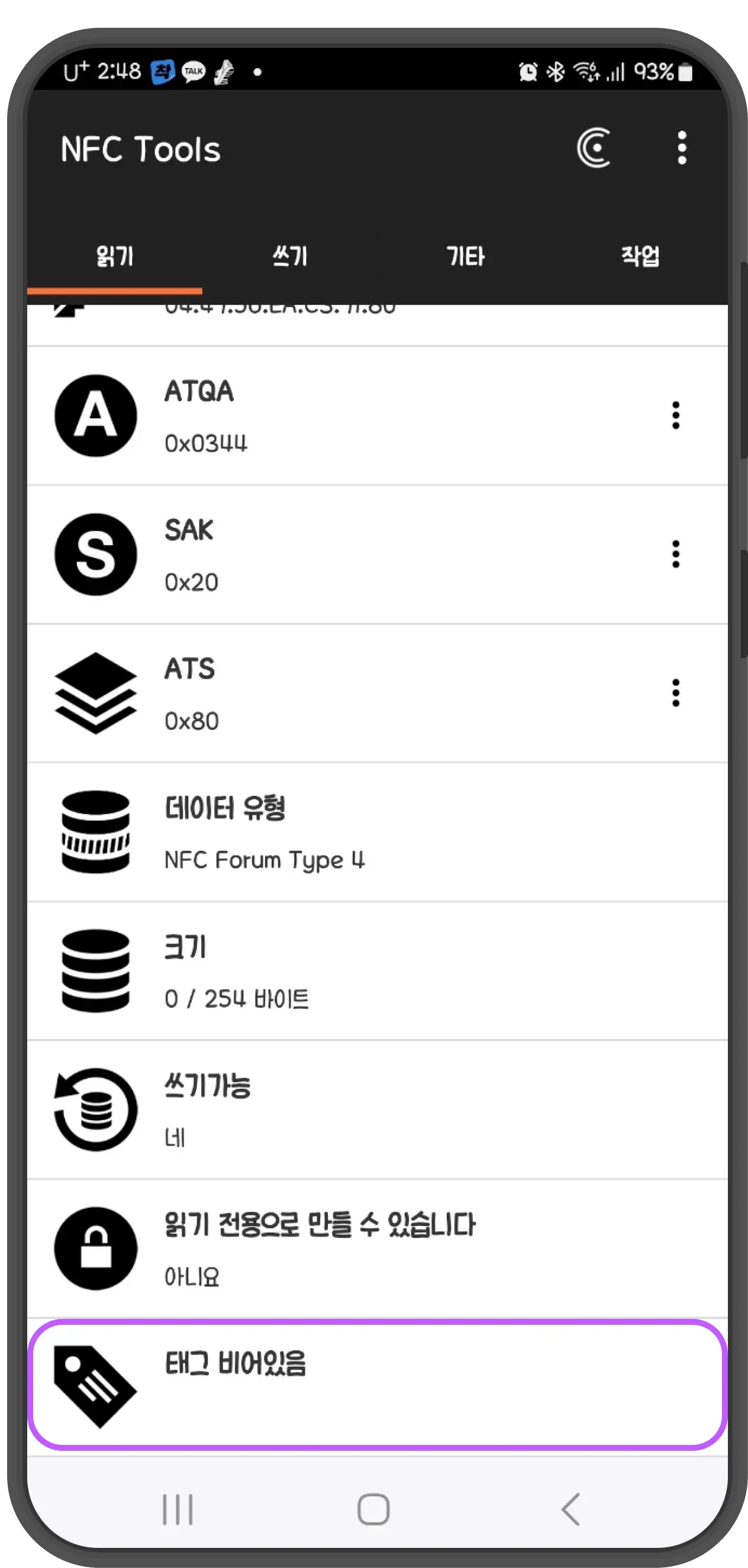
3-2. If NFC tag is not registered, it shows empty tag
Step 2-2 Try iPhone NFC Tag
The actual screen may vary depending on the smartphone OS and model. This is a method to check NFC chip damage, so actual NFC content will not execute.
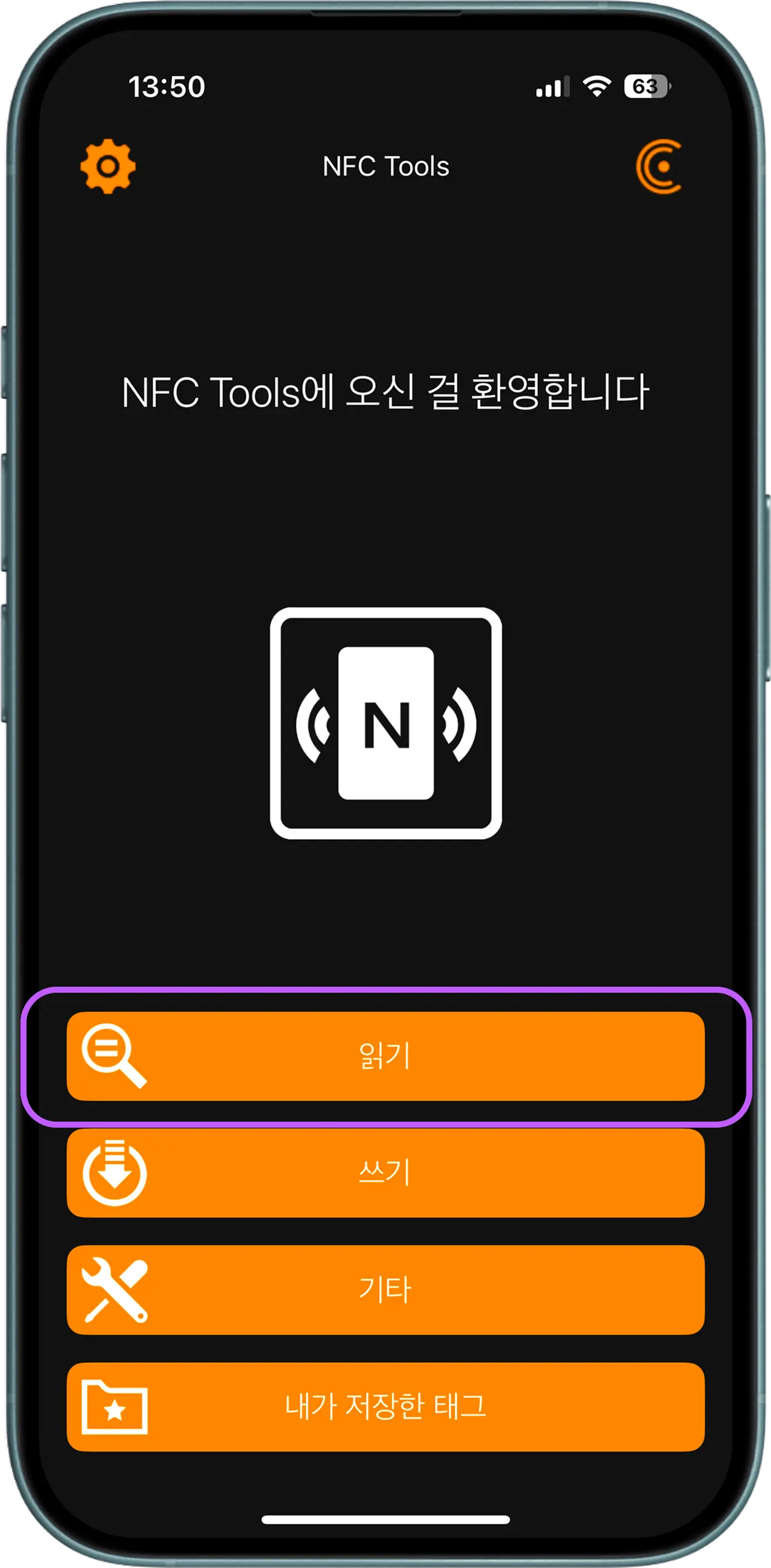
1. Launch NFC Tools and click Read button
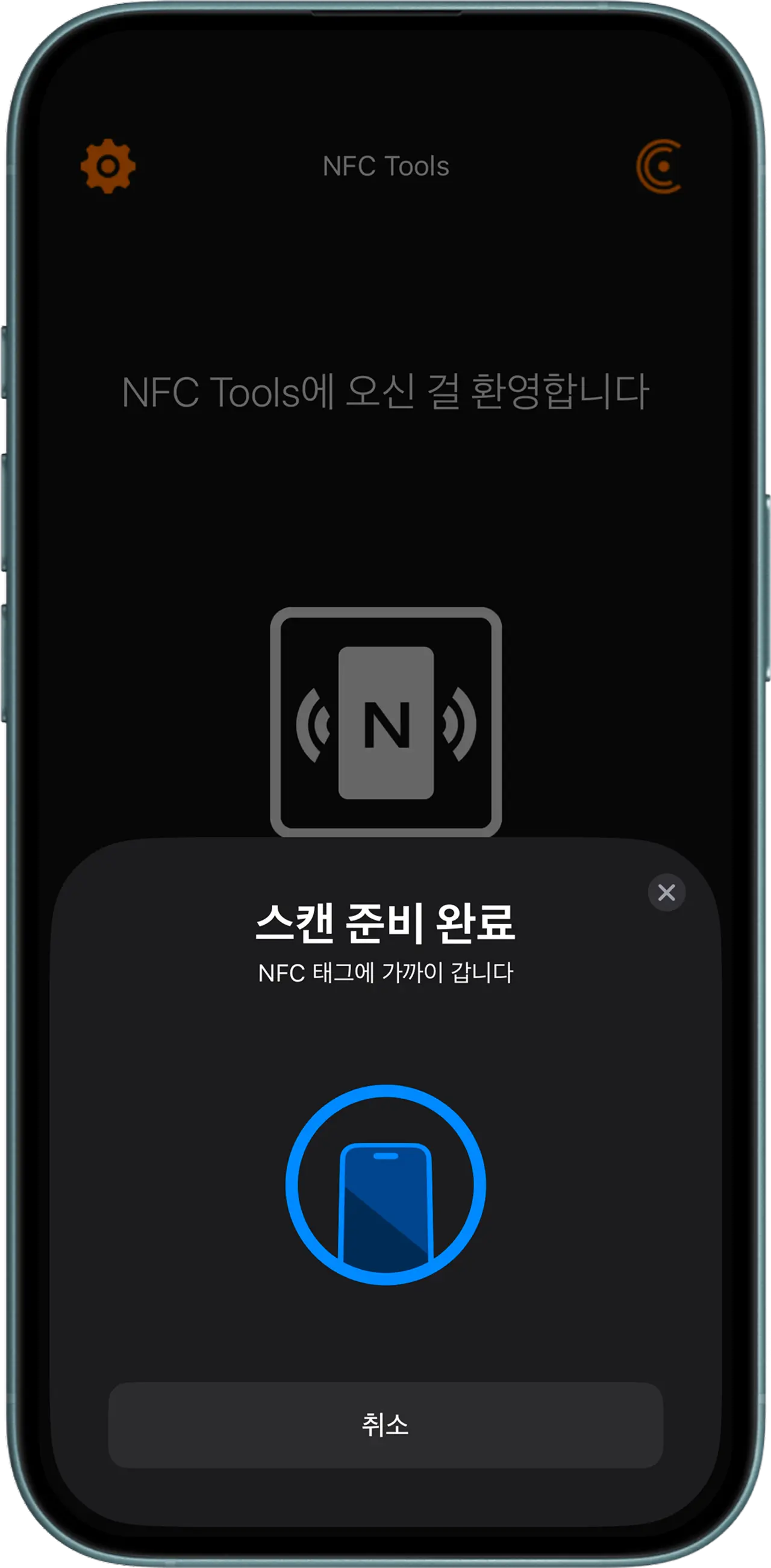
2. Scan NFC tag with smartphone
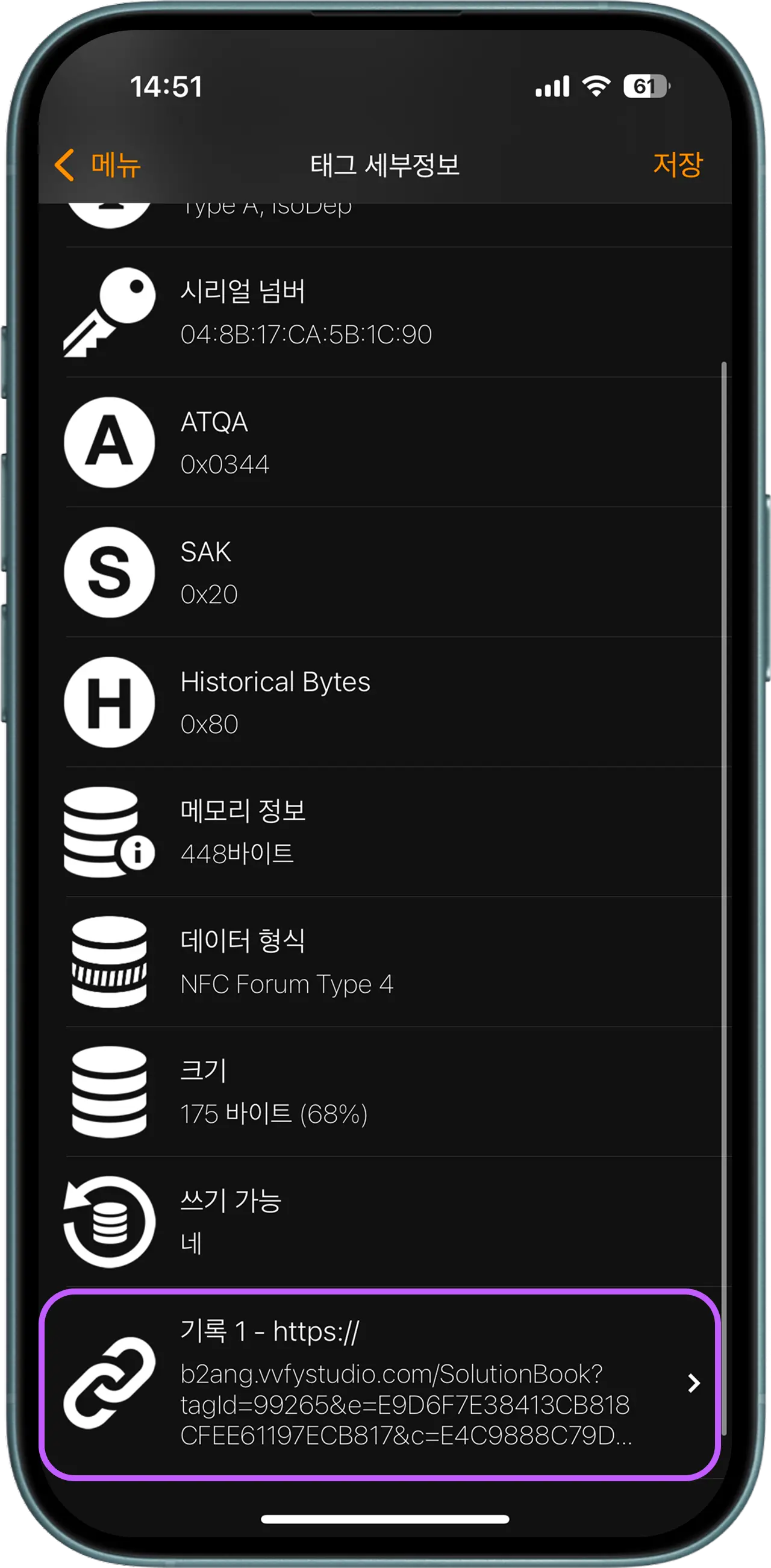
3-1. If NFC tag is normal, data will be shown in record 1
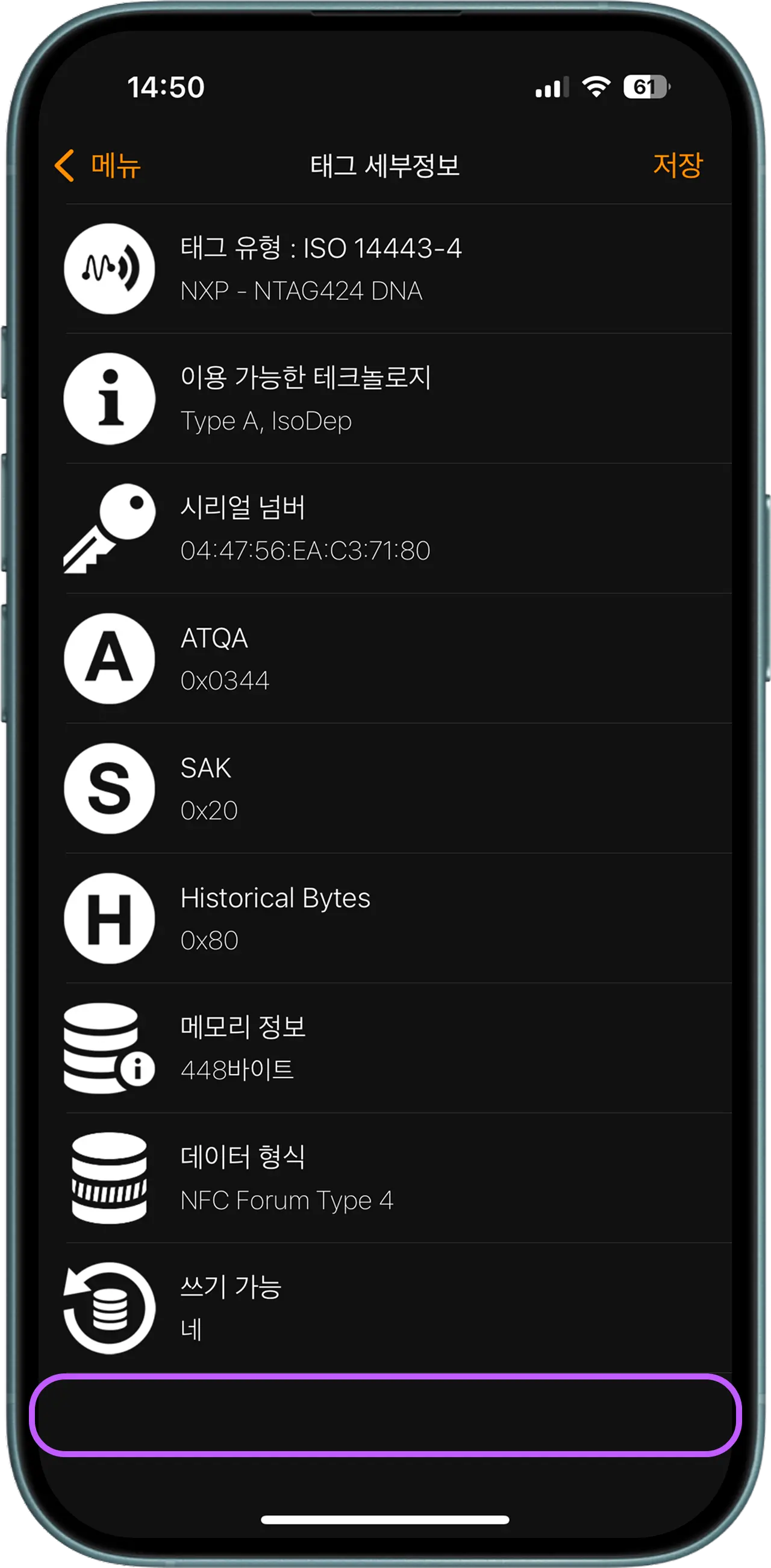
3-2. If NFC tag is not registered, it shows no records
Step 3 If There Is No Response
Search for supported devices below to check the exact NFC reader location and try tagging again for 2-3 seconds.
Step 4 Tag Failed or Empty Tag
If it doesn't work even after tagging at the correct location or if the tag is empty, please contact Kakao customer service.
NFC Troubleshooting FAQs
Common questions about NFC tag recognition issues and damage checking process.
NFC Tools shows 'empty tag' - is this normal?
Yes, it's normal. 'Empty tag' or 'no records' means the NFC chip is being recognized successfully. This message appears because no NFC content is registered. The NFC chip itself is not damaged.
NFC Tools shows no response
If NFC Tools doesn't respond, check: 1) Is your phone's NFC enabled 2) Is the NFC tag in the correct position (top back of phone) 3) Hold it still for 2-3 seconds. If still no response, the NFC chip may be damaged.
Works on other phones but not mine
In this case, the NFC chip is fine but your phone's NFC may have issues. Restart your phone and toggle NFC off and on. If that doesn't work, recheck your phone's NFC antenna location or test with another NFC tag.
NFC Tools shows data but actual function doesn't work
If NFC Tools can read data, the NFC chip is fine. If the actual function doesn't work, it's usually an NFC content configuration issue. Check if the URL or content registered on the NFC tag is correct and if the website is accessible.
Can a damaged NFC chip be repaired?
If the NFC chip is physically damaged, repair is not possible. NFC chips are very small and sensitive electronic components that must be replaced once damaged. However, it may be unstable before complete failure, so test with other phones.
Can I use NFC tags on metal surfaces?
Metal can block NFC signals and reduce recognition rates. Rather than attaching directly to metal, place on non-metal materials like plastic or wood. Maintaining distance between metal and the NFC tag or using insulation helps.
Have more questions?
Feel free to contact us anytime. We'll provide quick and accurate answers.

Contact Us

Company: VVFY STUDIO Inc. | CEO: Kyubaek Kim
Address: 213, 2F, S-Factory Ga(Bi) Bldg, 11, Yeonmujang 15-gil, Seongdong-gu, Seoul, Korea
Business Registration No.: 219-87-03830
Email: hello@vvfystudio.com
Privacy Officer: Kyubaek Kim
Hosting: Vercel
Terms of Service|Privacy Policy
© VVFY STUDIO ALL RIGHTS RESERVED.
VIVIFIED
Portfolio